Create the employee
Enter a display name, username, secure password, and optional cashier PIN.
 Lucky SquaresBingo Hall Software
Secure team access
Create separate administrator, manager, caller, and cashier accounts with individual permissions, enabled status, secure passwords, and optional cashier PINs.
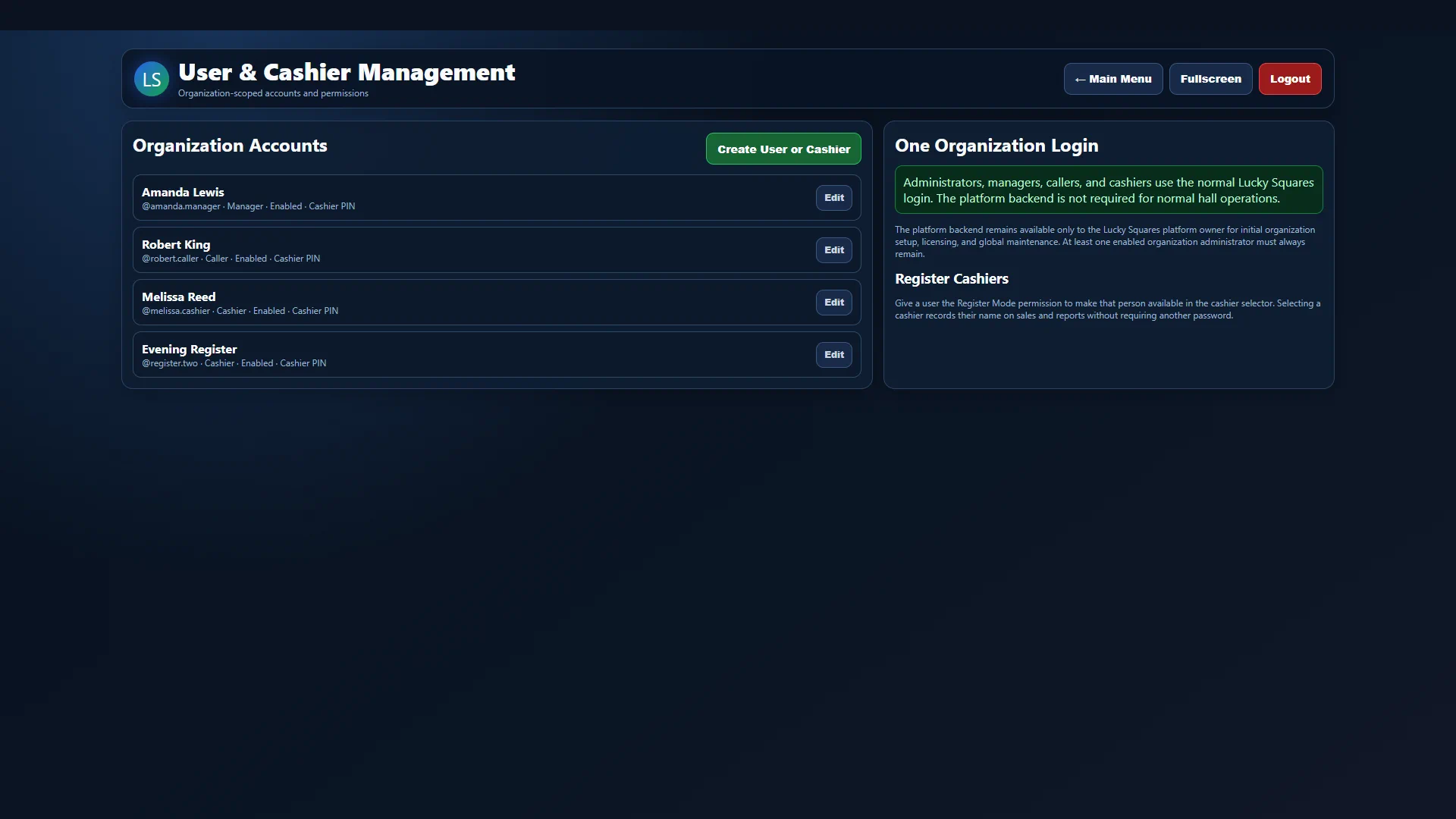 CURRENT FULL-SCREEN VIEW
Included capabilities
How it works
Enter a display name, username, secure password, and optional cashier PIN.
Start with Cashier, Caller, Manager, or Administrator permissions.
Enable only the exact Lucky Squares areas that employee should use.
Keep exploring
Bring it to your hall
Tell us about your operation and we'll show how this feature fits the rest of your system.
Request Package Information →