 AUTOMATIC VIDEO TOUR
Game operations
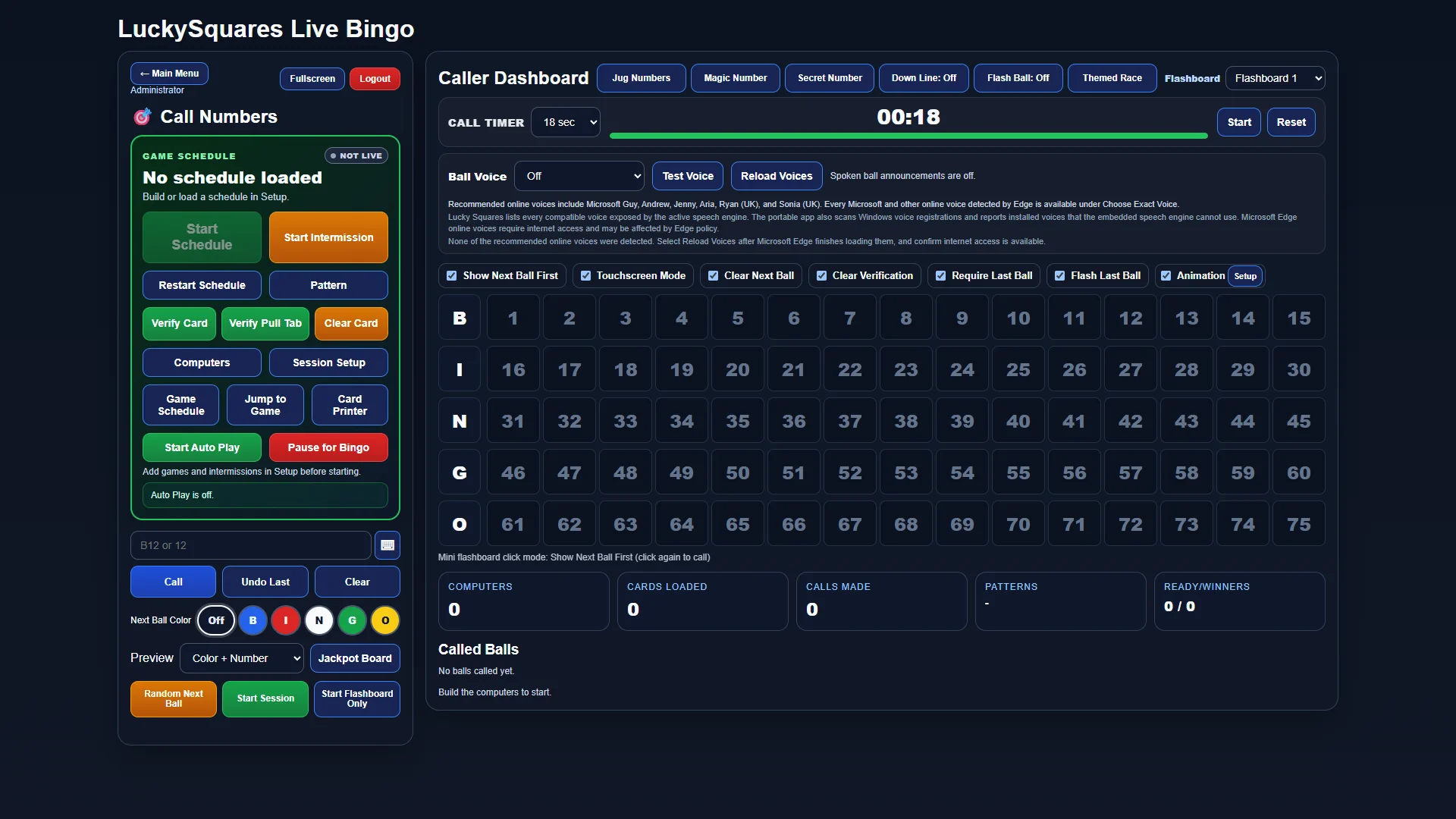
Caller & Verification
Lucky Squares keeps the caller, current pattern, called balls, verification, schedules, computers, and connected displays together throughout the session.
Explore Caller & Verification → Lucky SquaresBingo Hall Software
Complete software tour
Open a detailed tour to see what each part of the platform does, how it fits into game night, and what it gives your team and players.
AUTOMATIC VIDEO TOURGame operations
Lucky Squares keeps the caller, current pattern, called balls, verification, schedules, computers, and connected displays together throughout the session.
Explore Caller & Verification →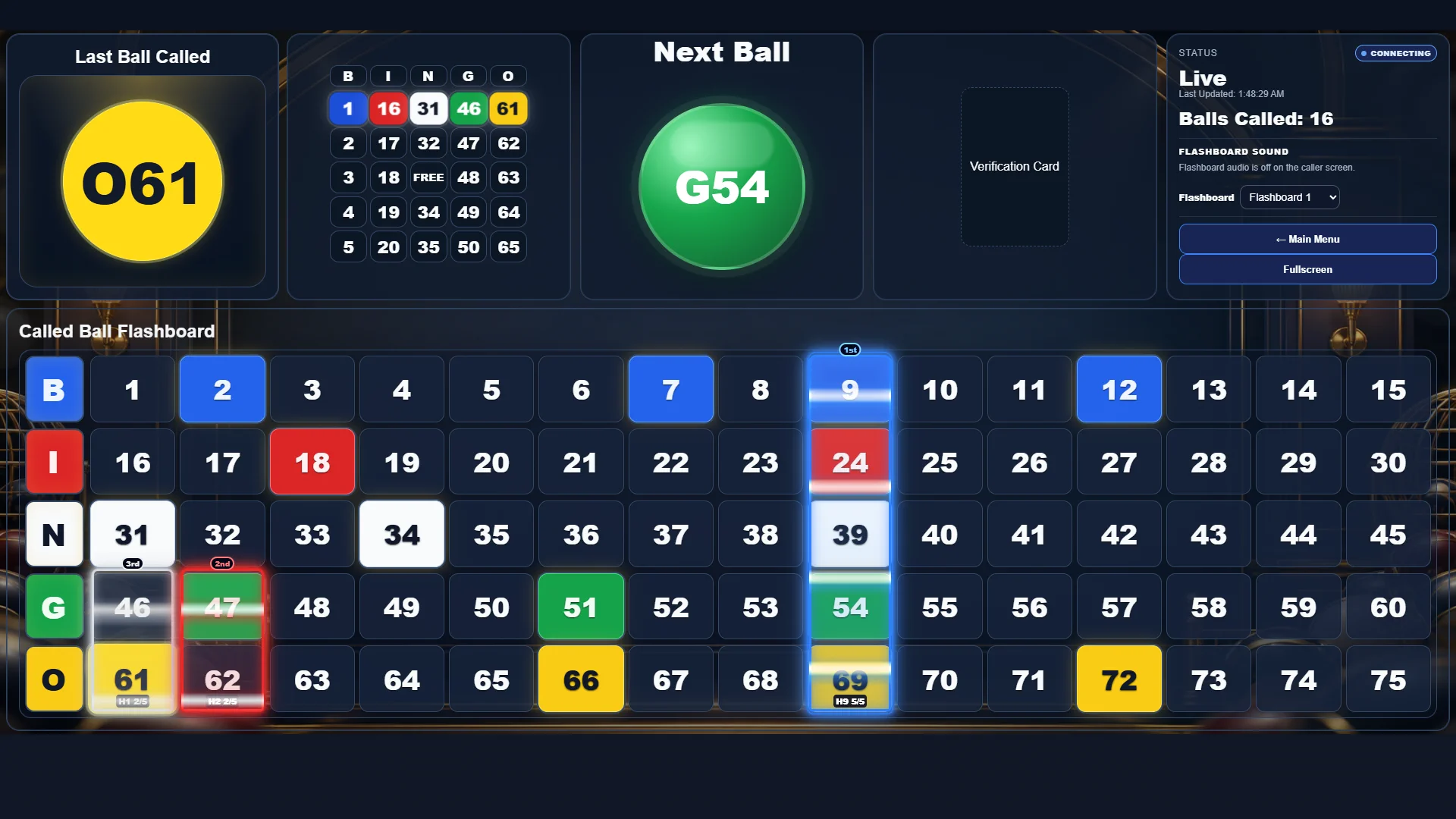 AUTOMATIC VIDEO TOUR
Public display
A dedicated 1920×1080 output shows called balls, the active pattern, last and next ball, verification, and Down-Line progress without scrollbars.
Explore Live Flashboard + Down-Line →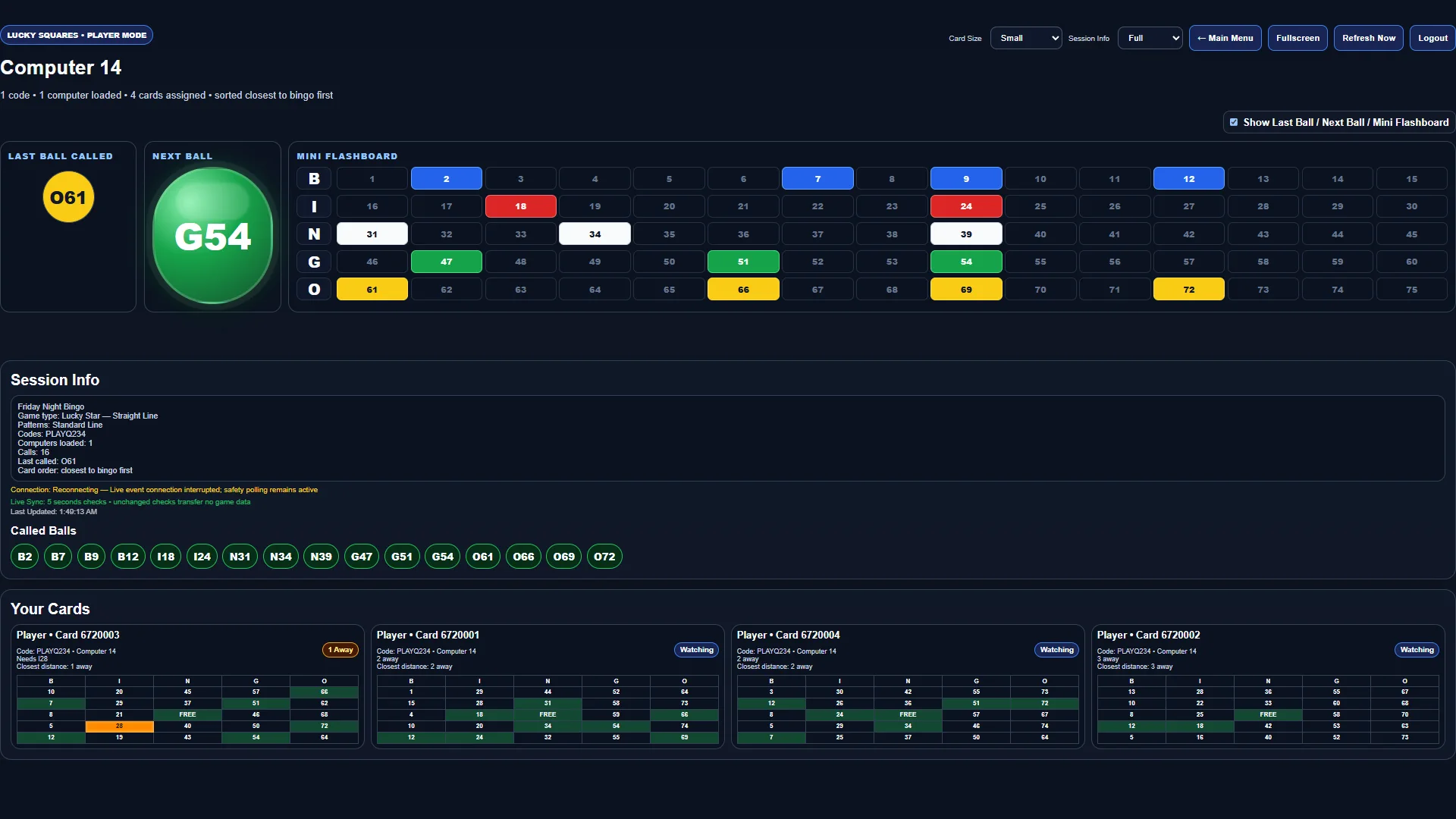 AUTOMATIC VIDEO TOUR
Electronic play
Assigned cards load on the correct player computer, mark automatically as balls are called, and sort closest-to-bingo first.
Explore Electronic Player Mode →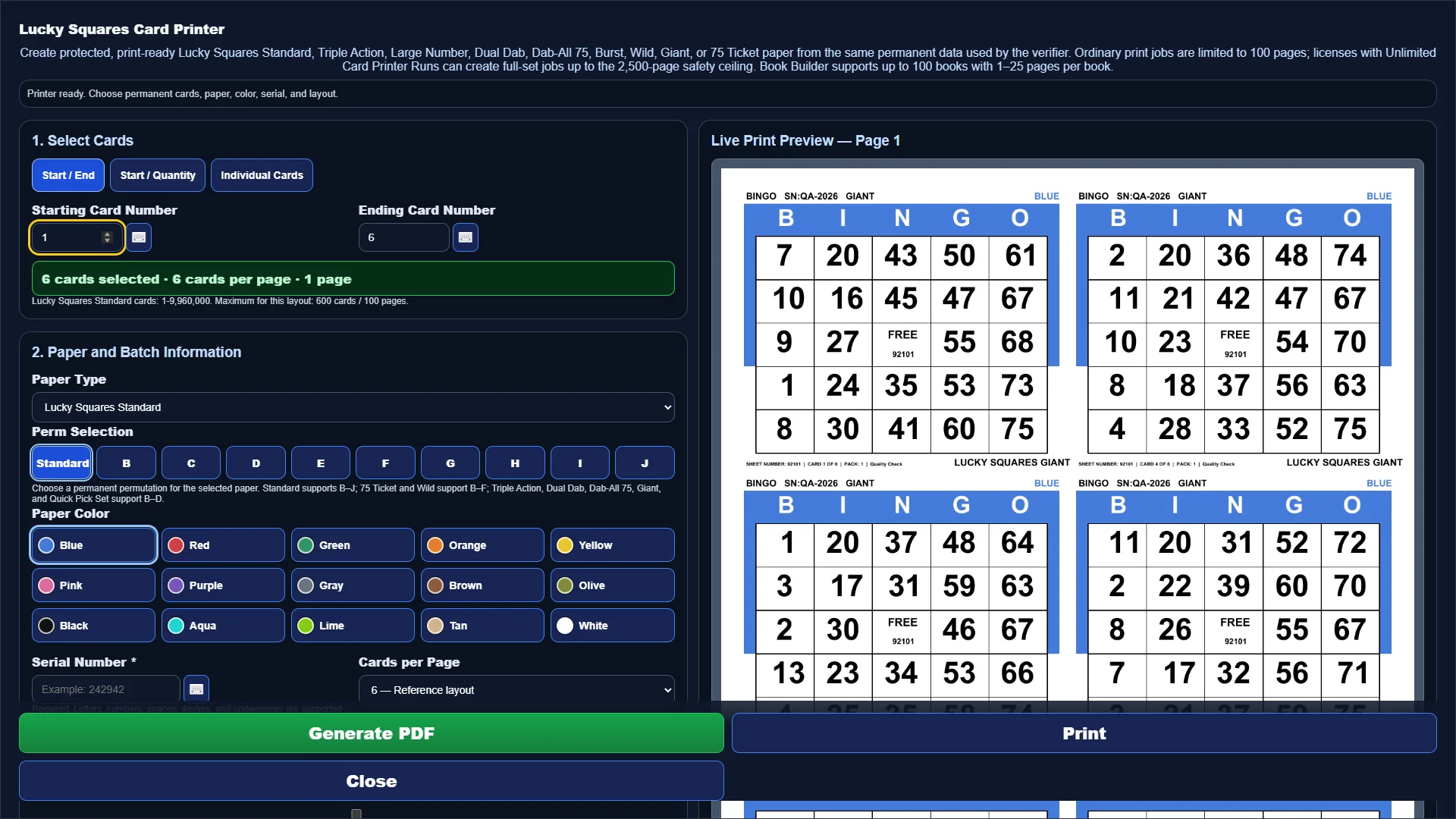 AUTOMATIC VIDEO TOUR
Permanent paper
Choose the paper family, range, layout, color, serial, permutation, and pack information while a live preview shows the page before PDF generation.
Explore Card Printer →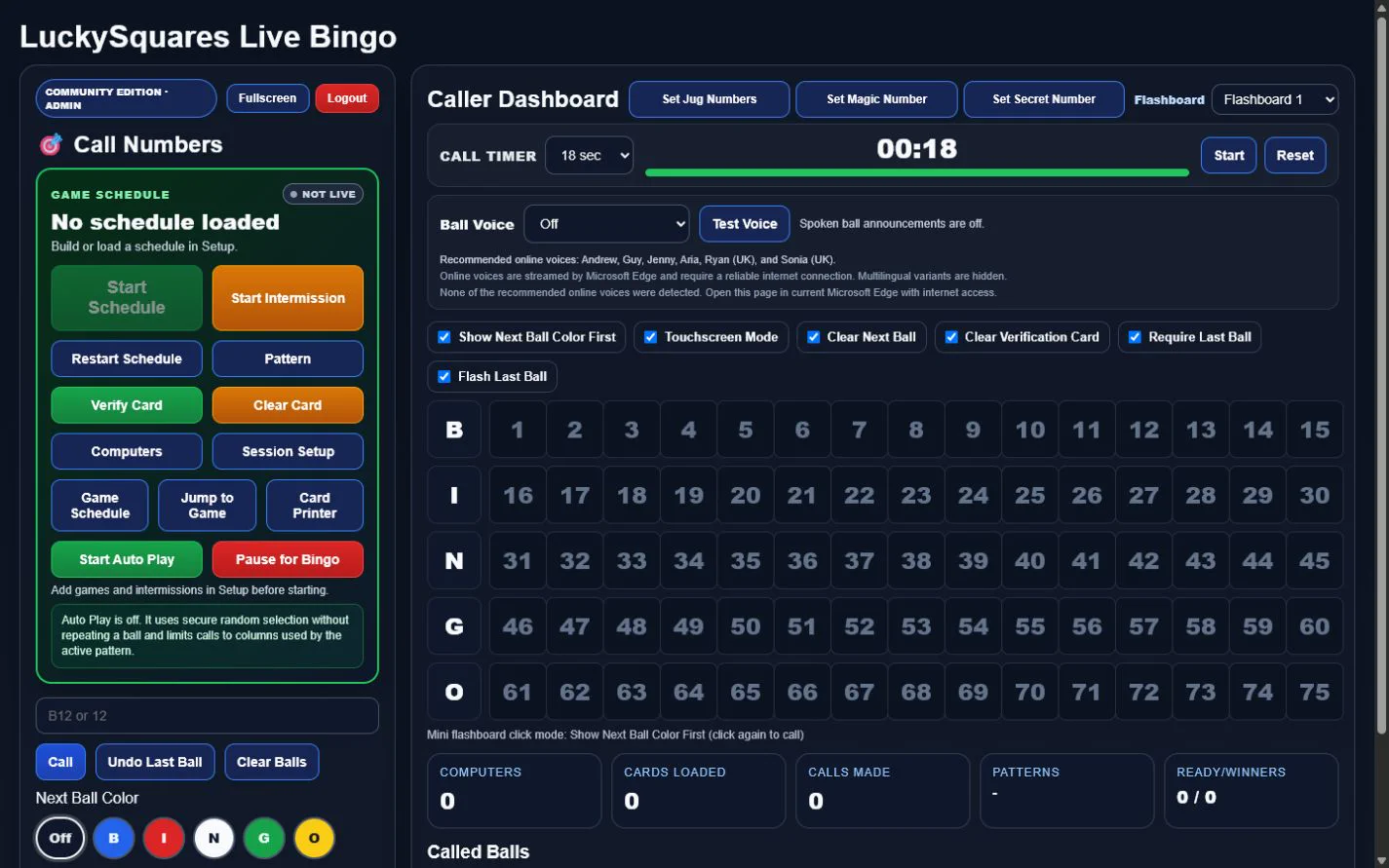 AUTOMATIC VIDEO TOUR
Custom game design
Tap the exact squares, enable rotations or mirrors, add alternate layouts, and save the finished pattern for the hall.
Explore Pattern Maker →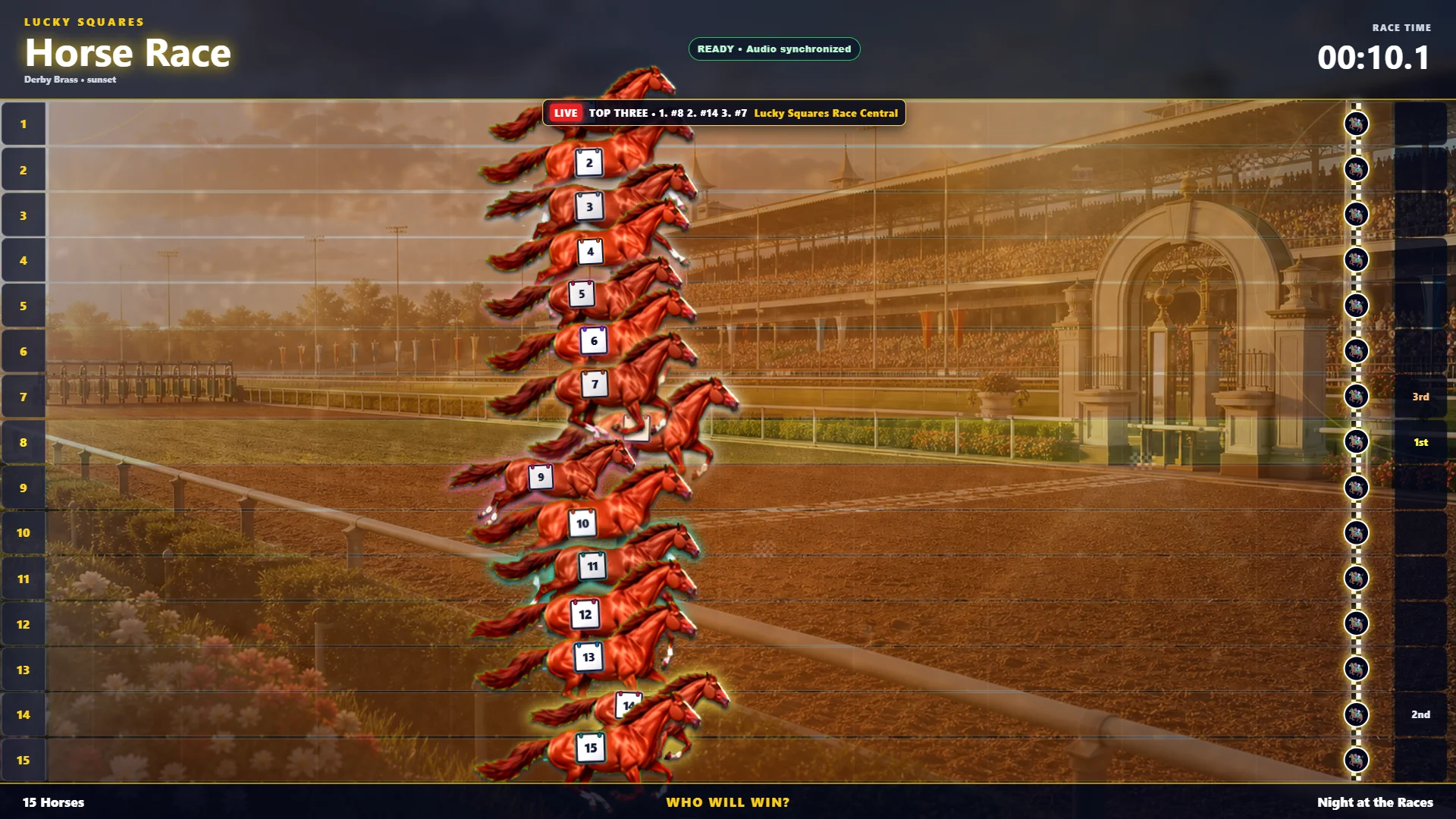 AUTOMATIC VIDEO TOUR
Room-wide entertainment
Browse 500 themes and control racers, duration, winner options, finish style, sound, effects, and prize presentation.
Explore Race Manager →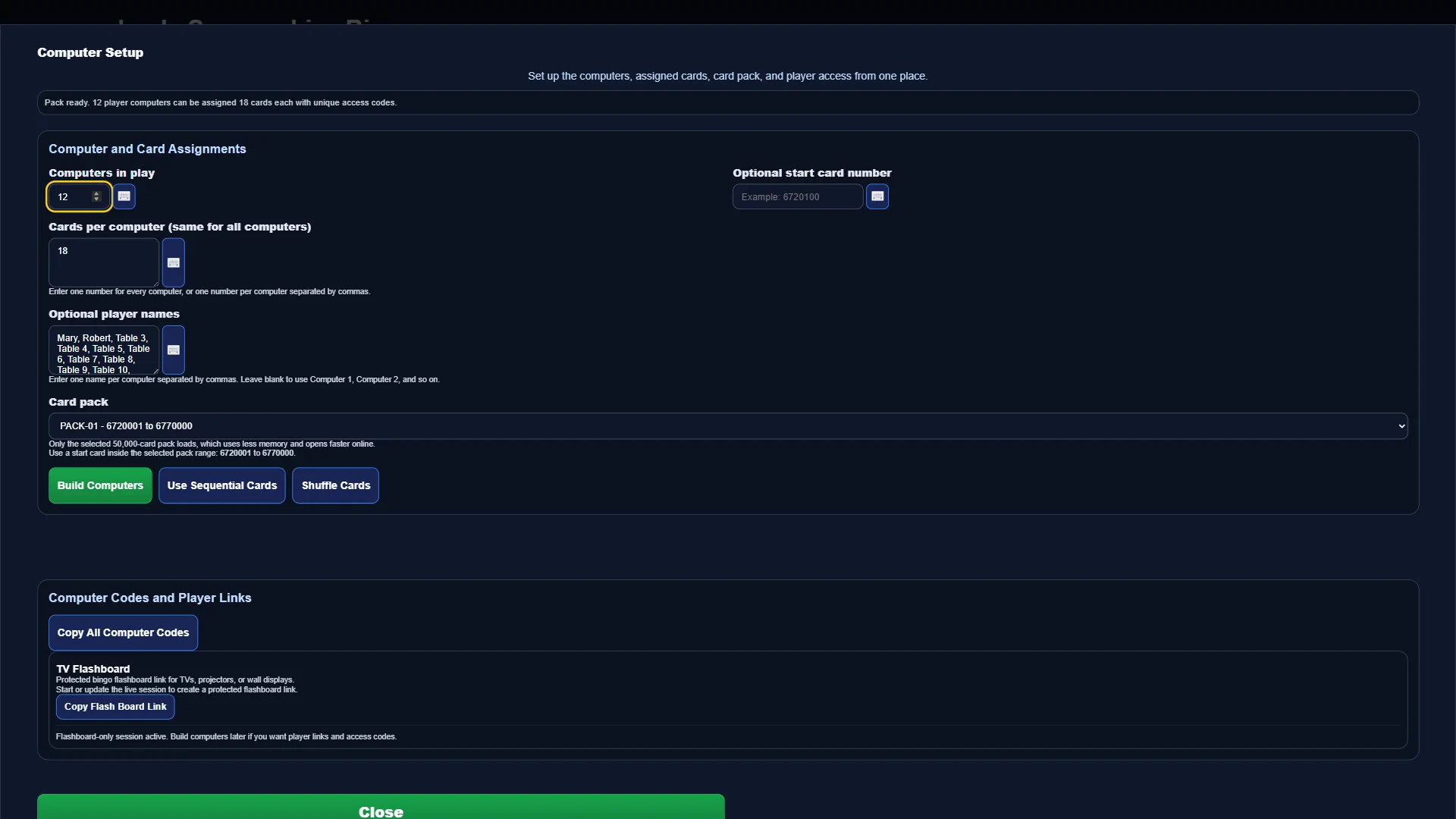 FULL-SCREEN SOFTWARE VIEW
Player devices
Create computer assignments, card packages, and secure access codes while keeping every device connected to the correct live session.
Explore Electronic Bingo Computers →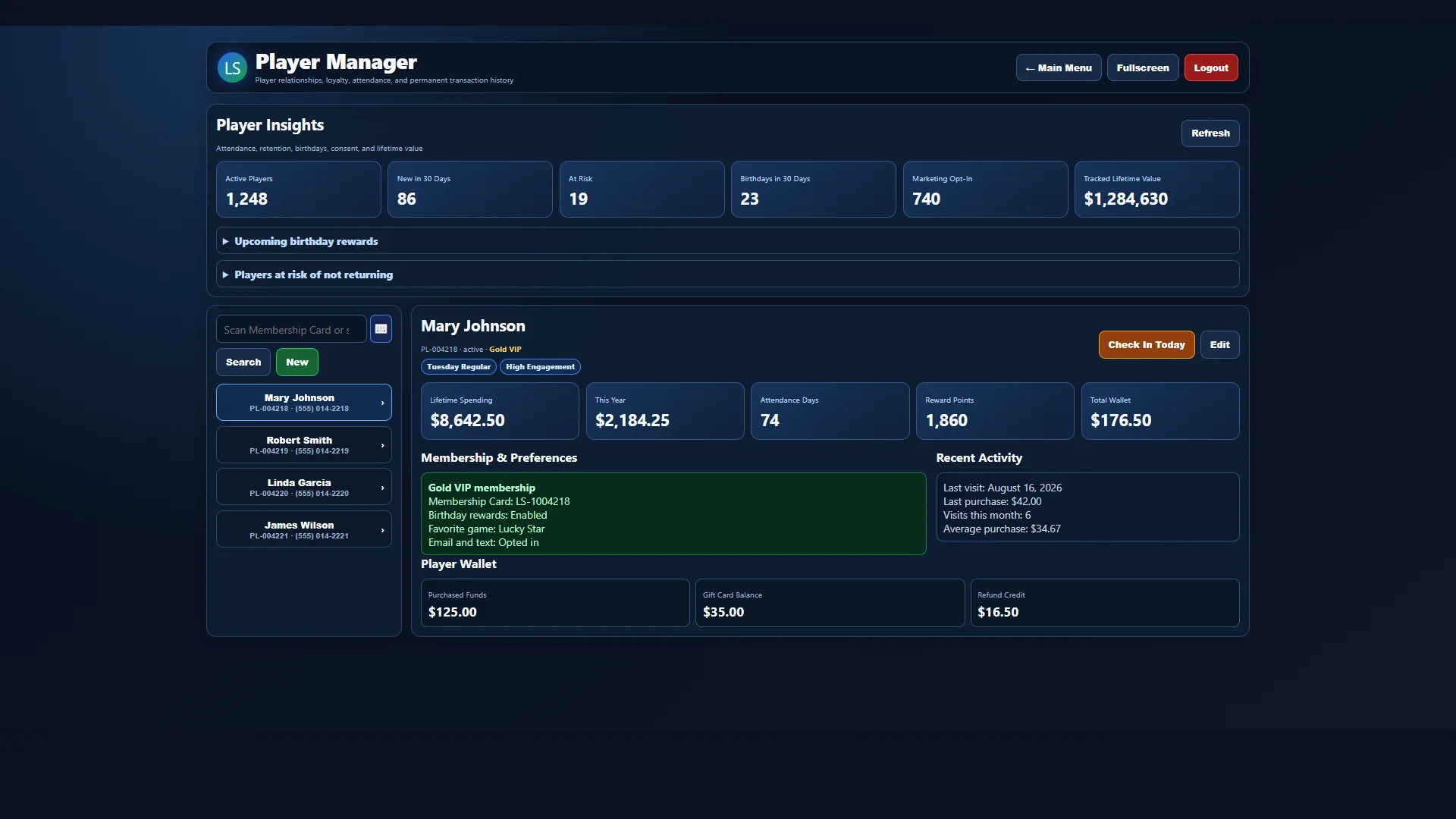 FULL-SCREEN SOFTWARE VIEW
Player service
Profiles, attendance, activity, membership details, preferences, and player insights remain accessible from one current workspace.
Explore Player Management →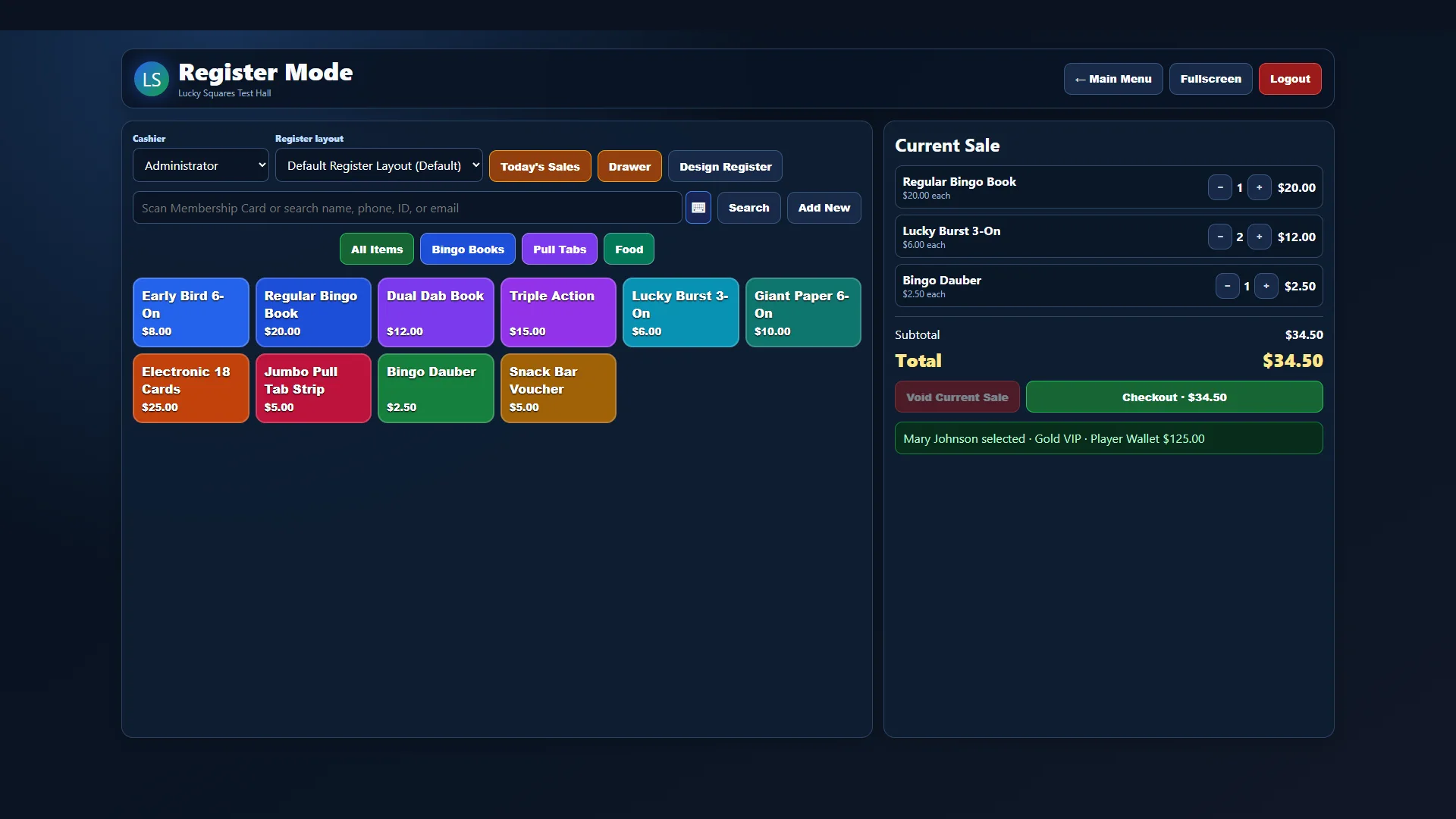 FULL-SCREEN SOFTWARE VIEW
Point of sale
Bingo books, action paper, electronics, Jumbo Style Pull Tab Strips, daubers, and hall items can be sold from a touch-friendly register.
Explore Register Mode →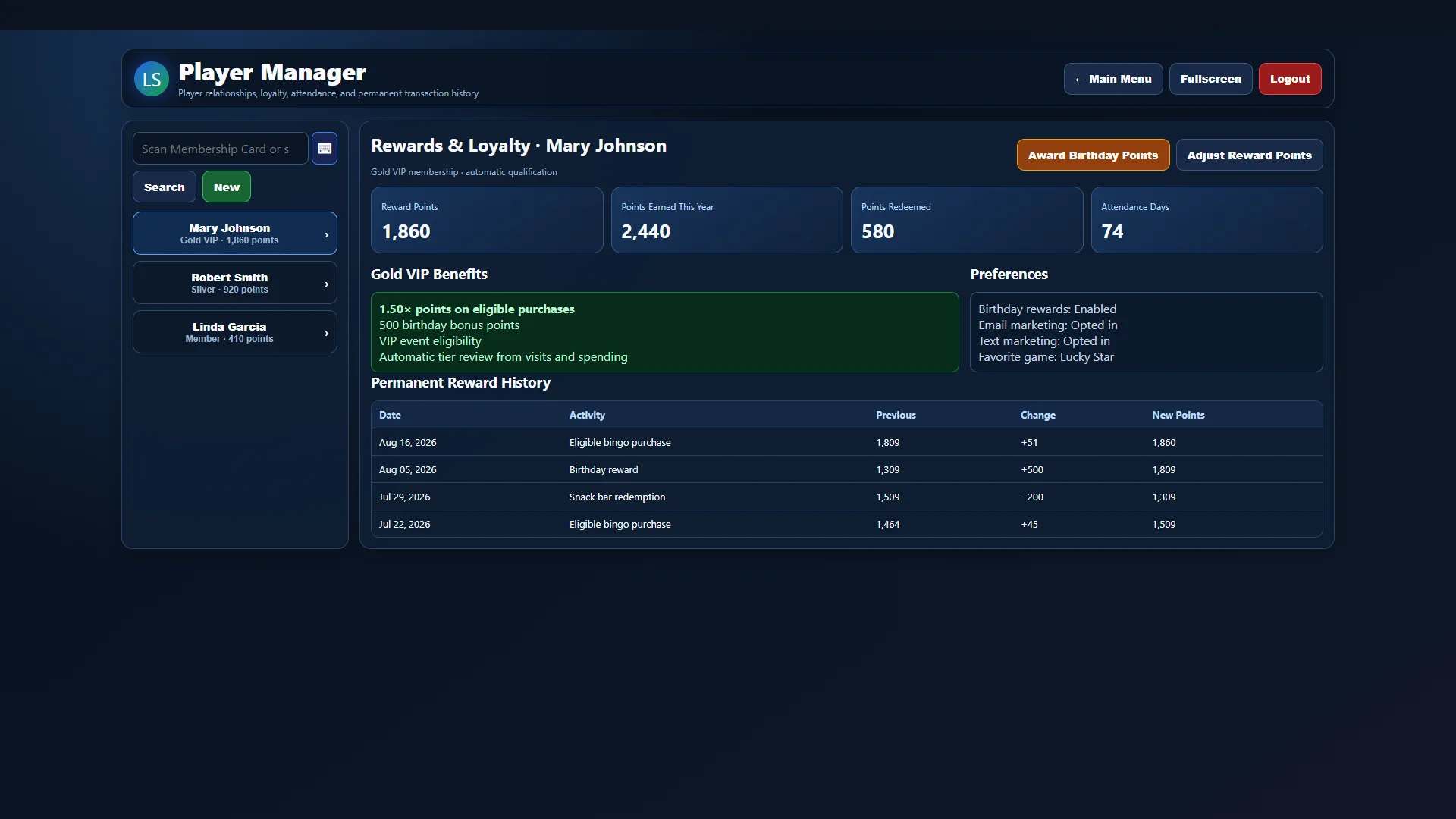 FULL-SCREEN SOFTWARE VIEW
Retention tools
Wallet activity and rewards remain connected to the player profile and register, helping staff provide consistent service.
Explore Player Wallets & Rewards →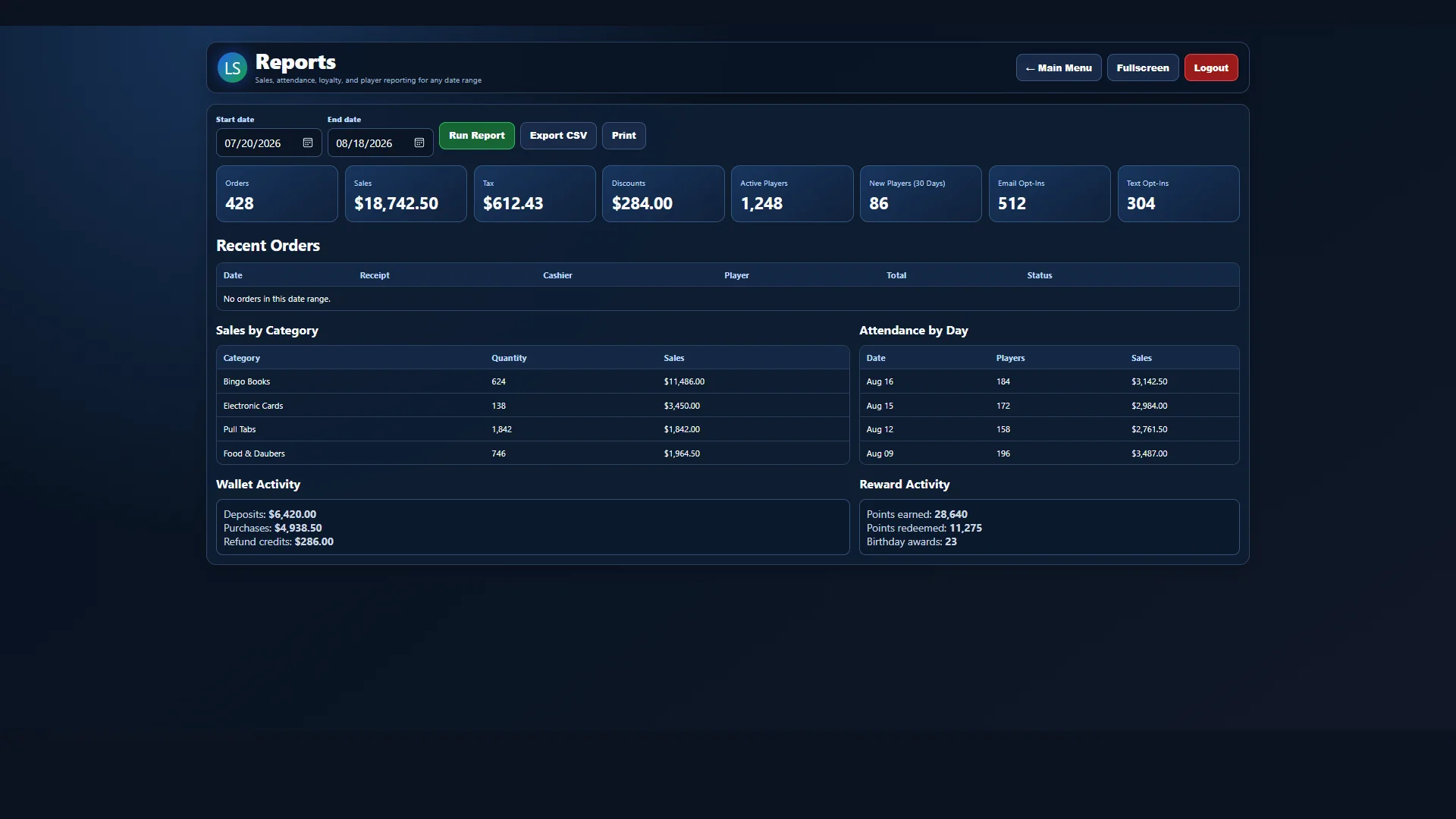 FULL-SCREEN SOFTWARE VIEW
Business insight
Choose a date range and review the information needed to understand how the hall is operating.
Explore Reports →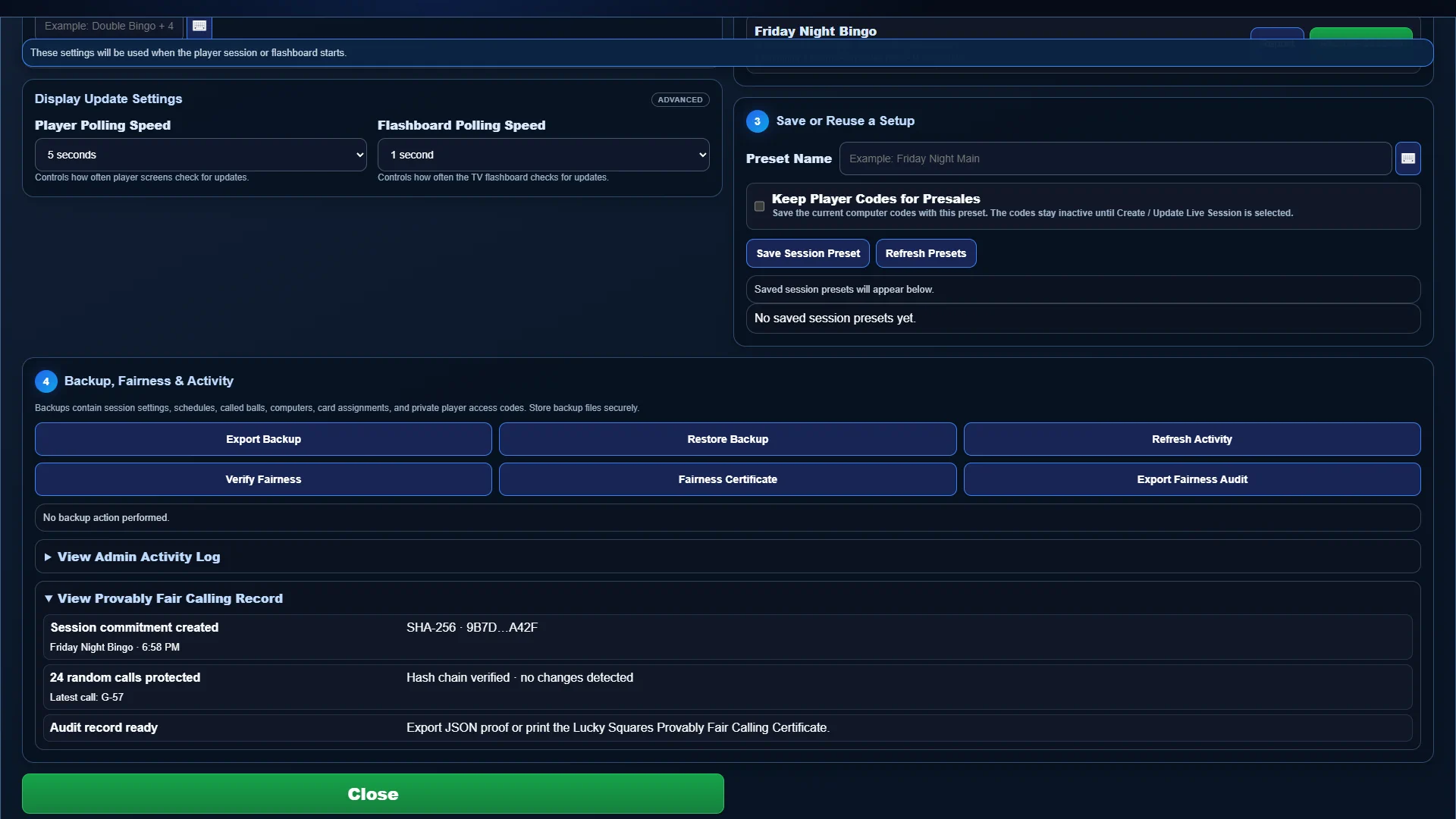 FULL-SCREEN SOFTWARE VIEW
Verifiable random calling
Lucky Squares commits to the random-calling sequence when the session begins, protects every call in a cryptographic hash chain, and produces an exportable audit or printable fairness certificate.
Explore Provably Fair Calling →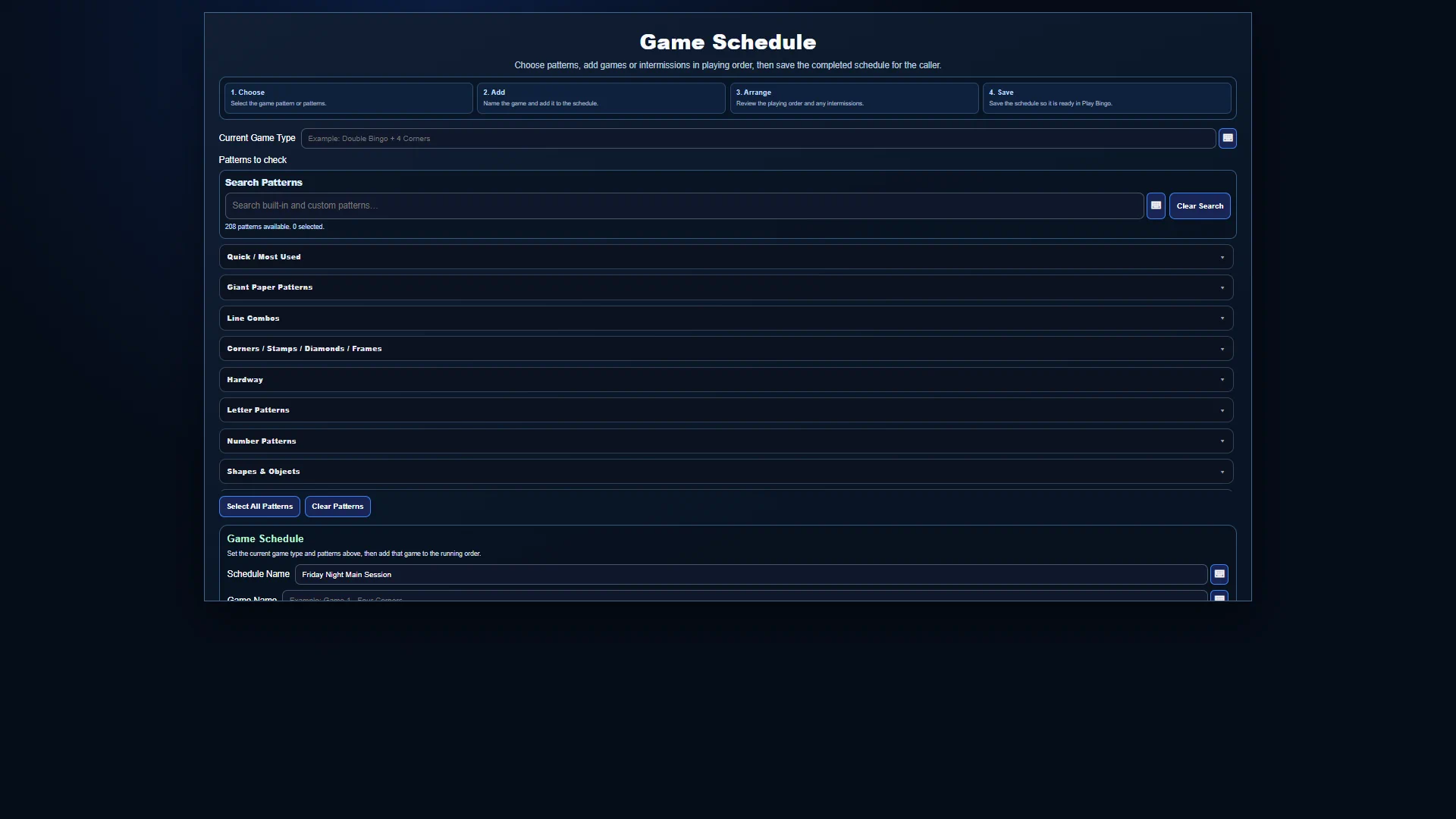 FULL-SCREEN SOFTWARE VIEW
Whole-night planning
Build the playing order with games, patterns, prizes, intermissions, and special events, then save reusable schedules and session presets for future game nights.
Explore Session Manager & Game Scheduler →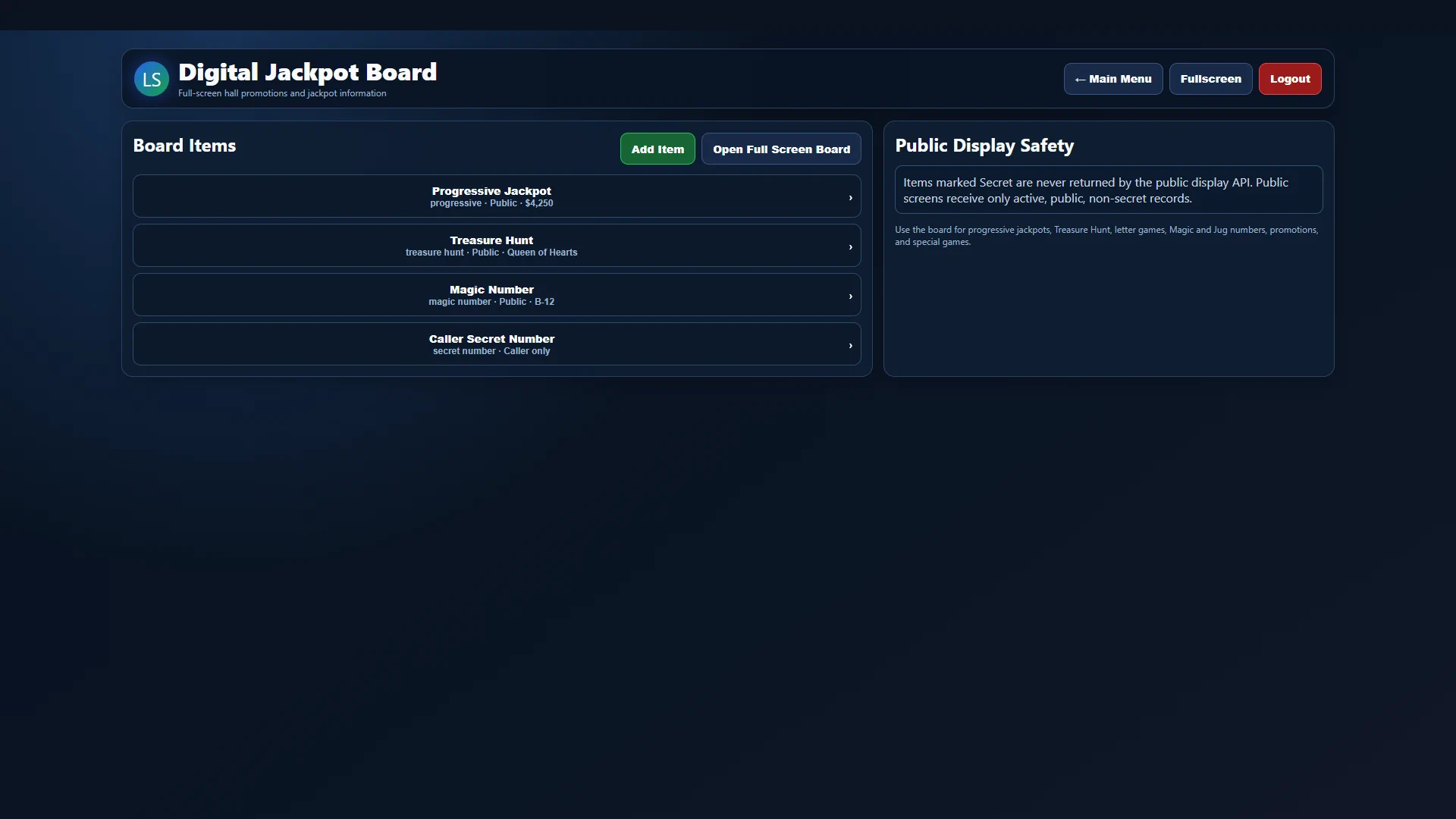 FULL-SCREEN SOFTWARE VIEW
Room-wide promotions
Manage progressive jackpots, Treasure Hunt details, Magic Numbers, letter games, promotions, and other public values from one secure workspace and send approved items to a full-screen board.
Explore Digital Jackpot Board →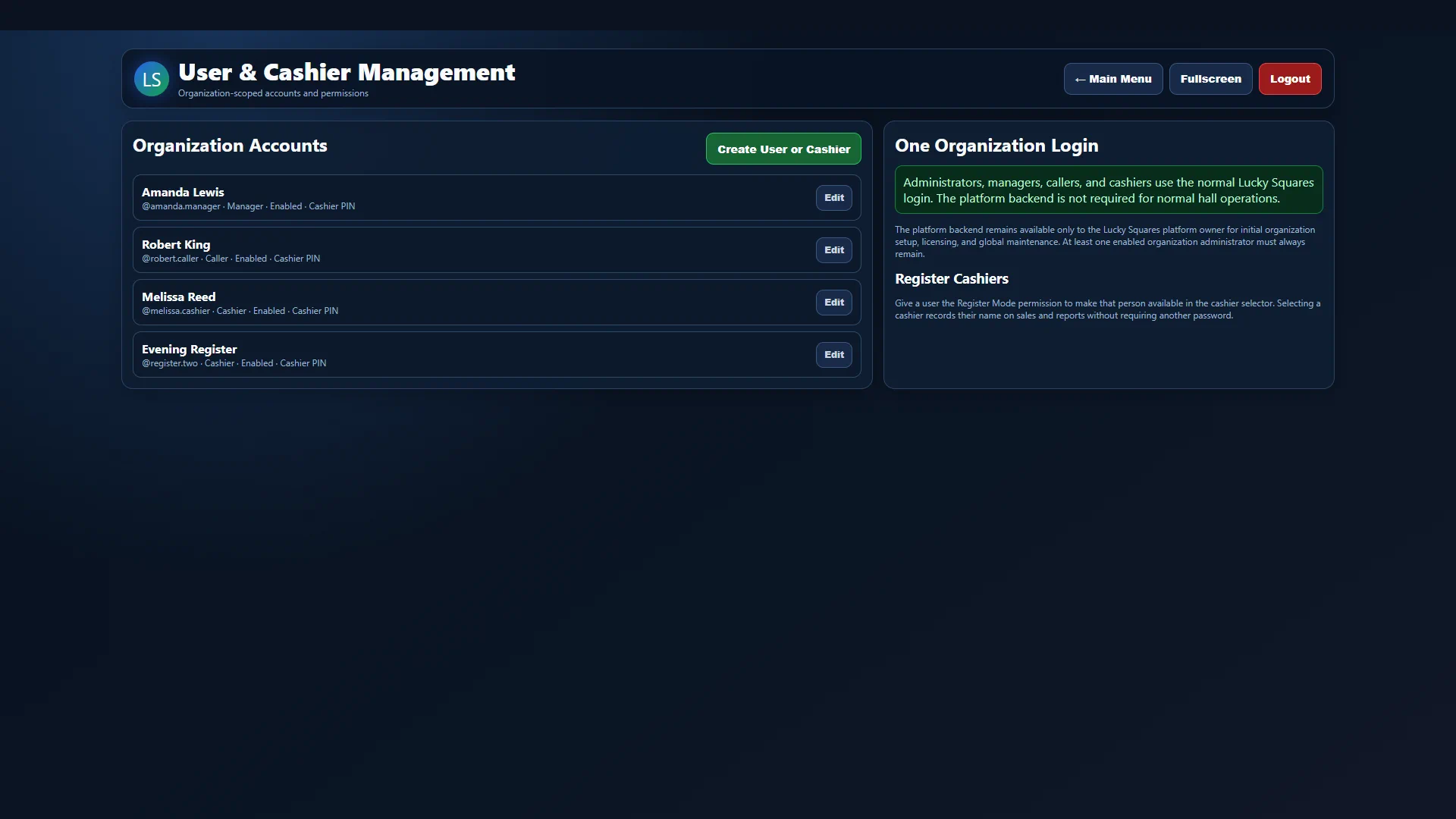 FULL-SCREEN SOFTWARE VIEW
Secure team access
Create separate administrator, manager, caller, and cashier accounts with individual permissions, enabled status, secure passwords, and optional cashier PINs.
Explore Staff Accounts & Permissions →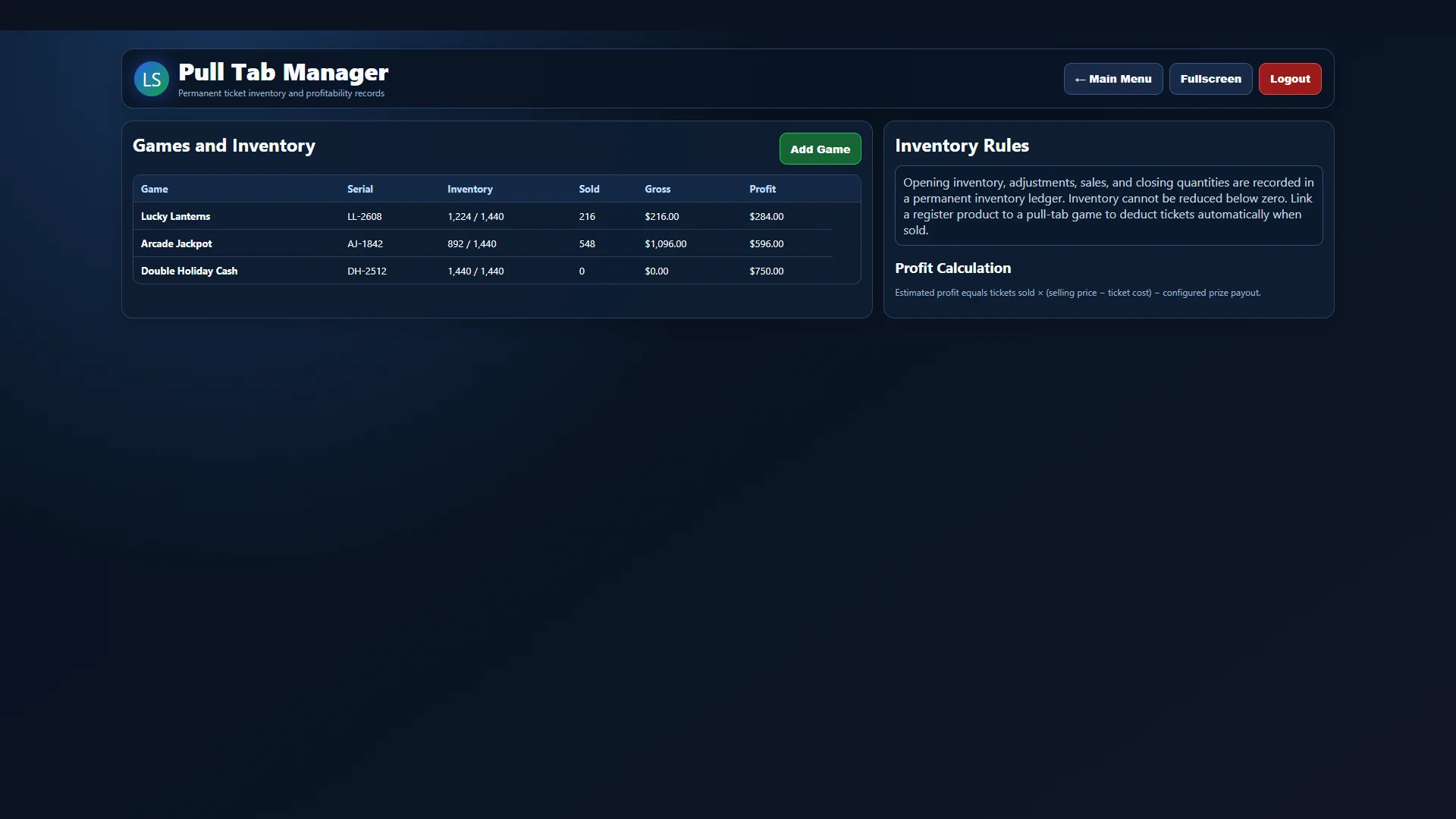 FULL-SCREEN SOFTWARE VIEW
Inventory and game control
Track open games and ticket counts, connect inventory to register products, record winners and prizes, and keep reconciliation details with the rest of your operating records.
Explore Pull-Tab Management →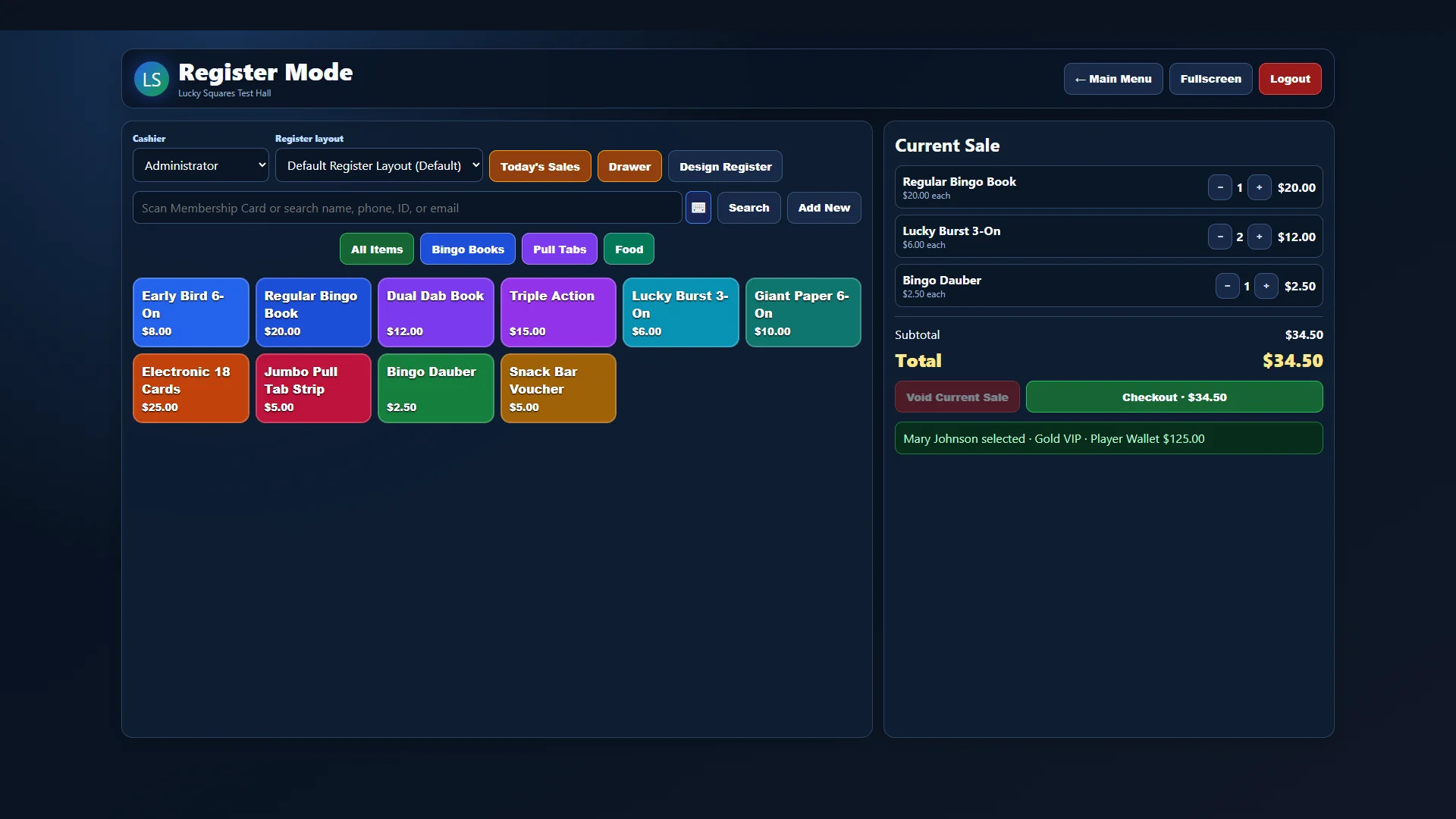 FULL-SCREEN SOFTWARE VIEW
Bingo point of sale
Beyond fast product buttons, Register Mode supports staff shifts, multiple payment methods, discounts, refunds, taxes, wallet activity, inventory connections, and player-linked transactions.
Explore Advanced Register Features →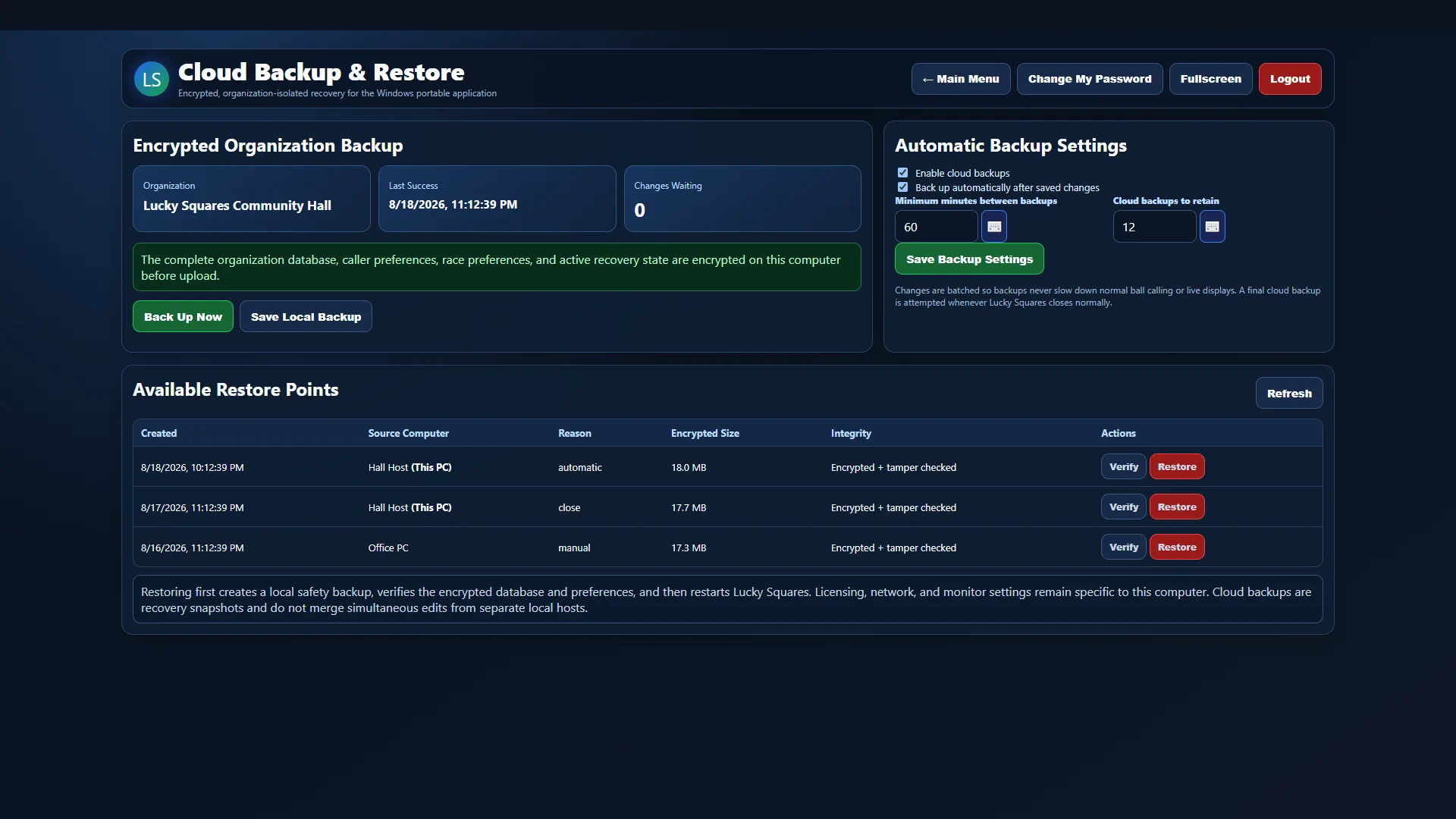 FULL-SCREEN SOFTWARE VIEW
Protected continuity
Lucky Squares can encrypt the complete organization database on the authorized computer, upload protected recovery snapshots, retain multiple restore points, and verify integrity before restoration.
Explore Cloud Backup & Recovery →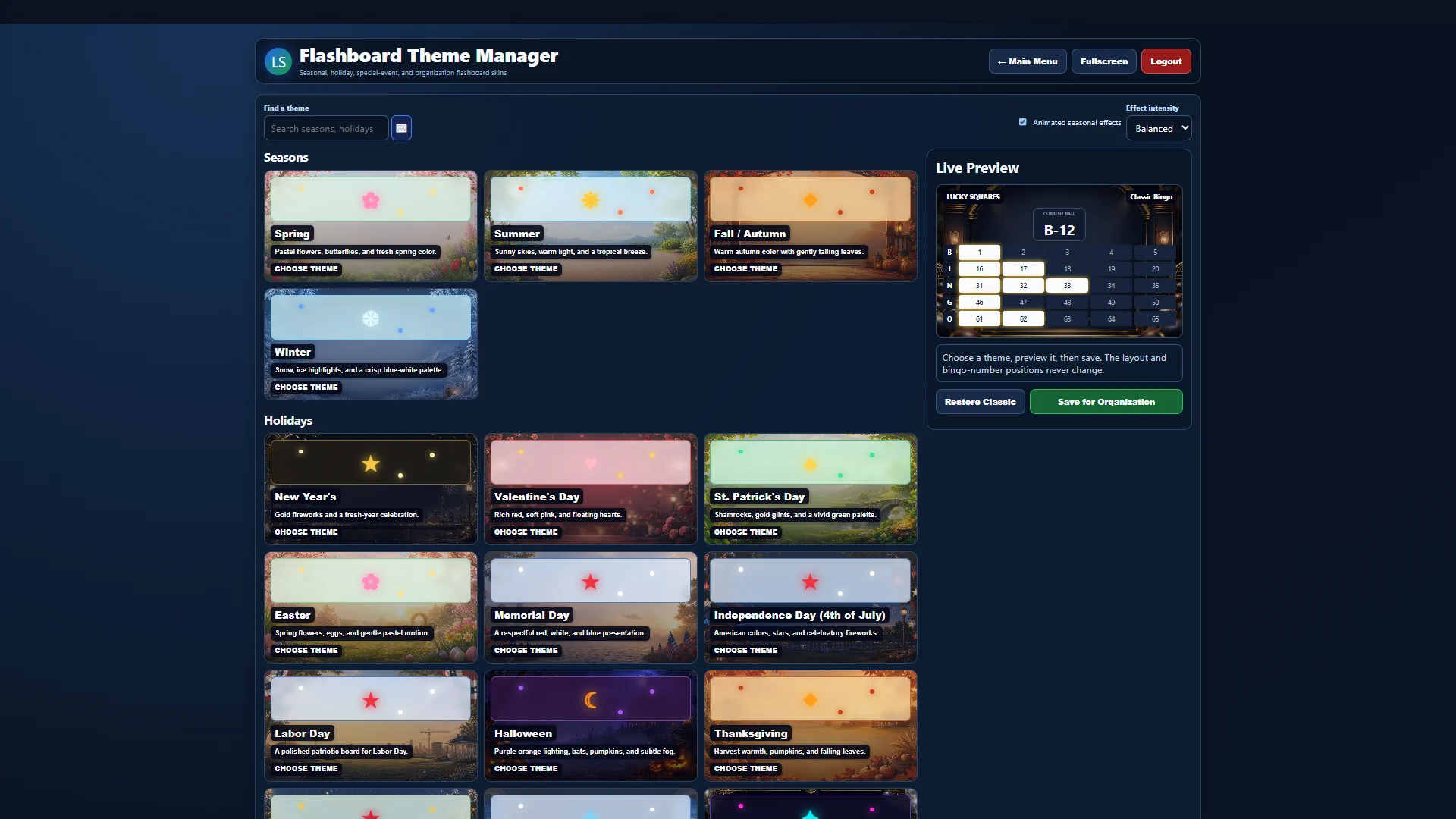 FULL-SCREEN SOFTWARE VIEW
Your room, your presentation
Choose from seasonal, holiday, special-event, and custom organization skins, preview changes live, and control animated effects without moving the bingo-number layout.
Explore Hall & Flashboard Customization →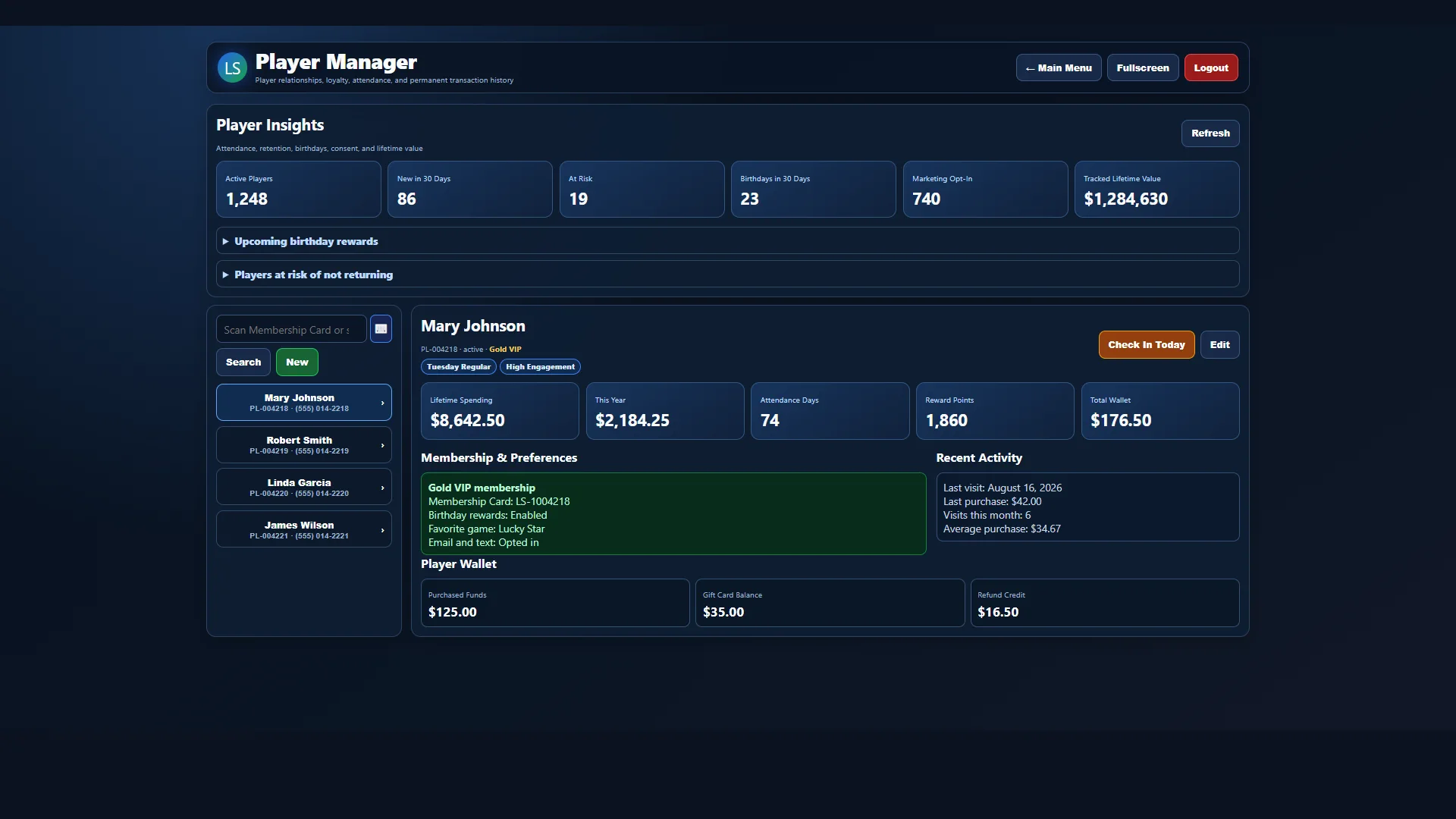 FULL-SCREEN SOFTWARE VIEW
Stronger player relationships
Keep membership details, visit history, activity, preferences, loyalty status, birthday information, notes, wallet access, and rewards together in the permanent player profile.
Explore Player Membership Features →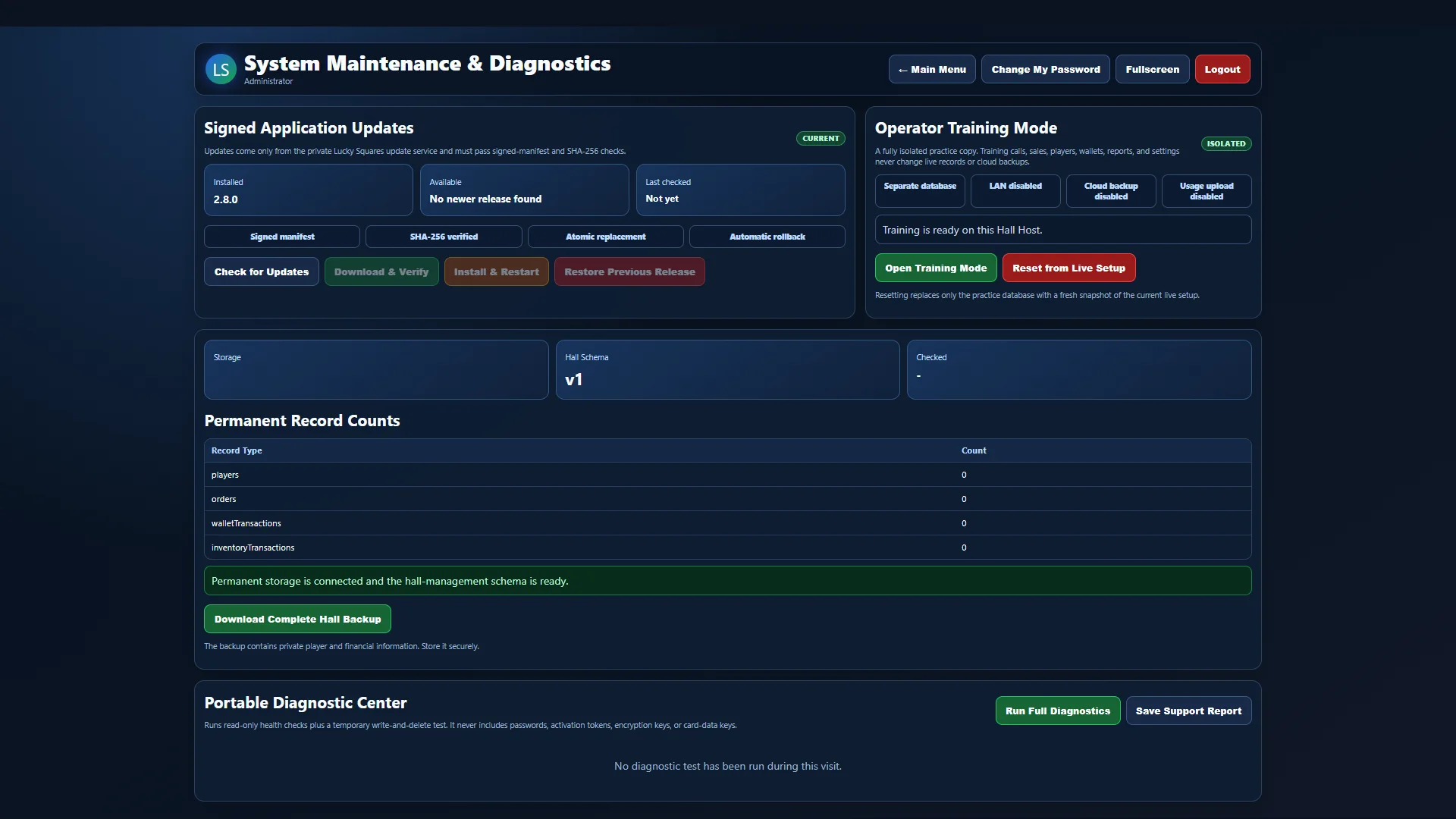 FULL-SCREEN SOFTWARE VIEW
Help built into the system
Built-in diagnostics check storage, licensing, updates, database integrity, synchronization, network access, disk space, and backup readiness, while secure support tickets keep questions and replies organized.
Explore Support & Maintenance →Touchscreen packages
See software-only requirements, touchscreen-computer packages, printer setup, and public-display connections.
Build your system
We'll help match software, computer activations, paper options, and touchscreen hardware to the way you operate.
Talk to Lucky Squares Sales →